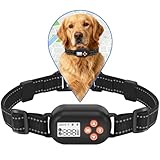
So, you’ve decided to give your furry friend the freedom of a yard without the hassle of traditional fencing? Excellent choice! The Justpet wireless dog fence is a popular and convenient solution. But, maybe you’re feeling a little overwhelmed by the setup process. Don’t worry, we’ve all been there.
We understand that setting up a new dog fence can seem daunting. That’s why we’ve put together this comprehensive, step-by-step guide to help you get your Justpet wireless dog fence up and running smoothly. We’ll cover everything from unboxing to training, ensuring your dog stays safe and happy within their designated boundaries. Let’s get started and make your dog’s outdoor adventures a breeze!
What You Need Before You Start
Before diving into the setup, gather all the necessary components. This will make the process much more efficient and less frustrating. You should have:
- The transmitter (the central unit).
- The receiver collar(s) (one for each dog).
- The charging base for the collar(s).
- The power adapter for the transmitter.
- Boundary flags (usually included).
- The user manual (keep this handy!).
- A screwdriver (sometimes needed for battery compartment).
Make sure all parts are present and in good condition. Check that the receiver collar fits your dog comfortably. The contact points (prongs) should sit snugly against your dog’s neck without being too tight. You might want to trim some fur around the contact points for a better connection. Also, ensure the collar strap is adjustable to fit your dog’s neck size.
Where to Place the Transmitter?
The placement of the transmitter is crucial for optimal performance. Here’s what to consider:
- Location: Place the transmitter indoors, preferably in a central location within your home. This helps maximize the circular range. Avoid placing it near large metal objects, appliances, or walls with metal studs, as these can interfere with the signal.
- Height: Position the transmitter at least 3 feet above the ground. This helps to prevent signal interference.
- Power Source: Ensure the transmitter is close to a power outlet.
- Accessibility: Choose a location that is easily accessible for adjusting settings or troubleshooting.
Once you’ve chosen the perfect spot, plug in the power adapter and turn on the transmitter. You should see an indicator light, showing that it’s working.
Step-by-Step Setup Guide
Now, let’s get down to the nitty-gritty and set up your Justpet wireless dog fence. Follow these steps carefully:
- Charge the Receiver Collar: Before anything else, charge the receiver collar(s) completely. Most Justpet collars use rechargeable batteries. The charging time varies, so consult your manual. A fully charged collar ensures it will function correctly during training.
- Set Up the Transmitter: Plug in the transmitter and turn it on. The transmitter emits a radio signal that creates the circular boundary. Most Justpet transmitters have a range adjustment dial or button.
- Determine the Boundary Radius: Use the dial or button on the transmitter to set the desired boundary radius. Start with a smaller radius and gradually increase it as your dog gets accustomed to the system. Remember, the boundary is a circle extending outwards from the transmitter.
- Place the Boundary Flags: This is a vital step in training. Once the boundary radius is set, walk around the perimeter of the boundary with the flags. Place the flags at the edge of the boundary to clearly mark the warning zone. The warning zone is the area where the collar will emit a warning tone or vibration before the correction (if you choose to use it).
- Test the System: Before putting the collar on your dog, test the system. Walk towards the boundary with the collar turned on (but not on your dog). You should hear the warning tone (if enabled) and/or feel the vibration. If you have the static correction enabled, you will feel a mild static shock. This confirms that the system is working properly.
- Fit the Collar to Your Dog: Place the receiver collar on your dog’s neck. Ensure the contact points are making good contact with the skin. The collar should be snug but not too tight. You should be able to slide two fingers between the collar and your dog’s neck.
- Training Your Dog (Crucial!): This is the most important step! Training is essential for the success of your wireless fence. Start by walking your dog on a leash towards the boundary. When your dog reaches the warning zone (marked by the flags), the collar will activate. Initially, praise and reward your dog when they retreat from the boundary. Never force your dog into the boundary.
- Monitor and Adjust: Observe your dog’s behavior. If they are consistently crossing the boundary, you may need to adjust the radius, the static correction level (if used), or the training approach.
- Remove the Flags (Gradually): Once your dog reliably respects the boundary, you can start removing the flags, a few at a time. Continue to monitor your dog’s behavior to ensure they understand the boundaries.
Understanding the Warning and Correction Zones
The Justpet wireless dog fence creates two zones: the warning zone and the correction zone. Understanding these zones is critical for effective training. (See Also: How Expensive Is an Invisible Fence? Costs, Factors & Saving Tips)
- Warning Zone: This is the area just inside the boundary where the collar emits a warning tone or vibration. The purpose is to alert your dog that they are approaching the boundary and should retreat.
- Correction Zone: If your dog ignores the warning tone and continues to approach or crosses the boundary, the collar will deliver a static correction (if enabled). The correction is designed to be a deterrent, not a punishment. The level of correction is usually adjustable on the collar.
The size of these zones is usually determined by the settings on the transmitter and the collar. The warning zone is typically a few feet wide, while the correction zone is usually just a few feet wide.
Troubleshooting Common Issues
Even with the best planning, you might encounter some issues. Here’s how to troubleshoot some common problems:
- Collar Not Working: Check if the collar is charged, turned on, and properly fitted. Make sure the contact points are clean and making good contact with your dog’s skin. Also, check the battery if it’s not a rechargeable type.
- Dog Crossing the Boundary: This usually indicates that the training is not complete or the correction level is too low. Review the training steps and consider increasing the correction level (if you’re using it) gradually. Ensure the collar is fitted correctly.
- Interference: Metal objects, appliances, and other electronic devices can interfere with the signal. Try moving the transmitter to a different location.
- Inconsistent Range: The range may vary depending on the environment. Obstacles like trees or hills can reduce the effective range.
- Transmitter Not Working: Check the power connection and make sure the transmitter is turned on. Try resetting the transmitter by unplugging it for a few minutes and then plugging it back in.
Training Tips for Success
Effective training is the key to a successful wireless fence experience. Here are some helpful tips:
- Consistency is Key: Train your dog consistently every day for the first few weeks.
- Positive Reinforcement: Praise and reward your dog when they respect the boundary. Use treats, verbal praise, or a favorite toy.
- Introduce Gradually: Don’t rush the process. Let your dog get comfortable with each step.
- Supervise Initially: Always supervise your dog when they are in the fenced area, especially during the initial training phase.
- Avoid Punishment: Never punish your dog for crossing the boundary. This can create fear and anxiety.
- Be Patient: Every dog learns at a different pace. Be patient and understanding.
- Choose the Right Correction Level: If you use static correction, start with the lowest level and gradually increase it until it’s effective.
- Consider Professional Help: If you’re struggling with training, consider consulting a professional dog trainer.
Frequently Asked Questions (faq)
Let’s address some common questions about Justpet wireless dog fences:
How Far Does a Justpet Wireless Fence Work?
The range of a Justpet wireless fence varies depending on the model, but they typically cover an area up to a specified radius from the transmitter. Check your specific model’s manual for its range. Remember that the actual range can be affected by environmental factors.
What Happens If the Power Goes Out?
If the power goes out, the transmitter will stop emitting the signal, and the fence will no longer be active. Your dog will be free to roam. Consider using a battery backup for the transmitter or a different fencing method if power outages are frequent in your area.
Is a Wireless Dog Fence Safe for My Dog?
Wireless dog fences are generally safe when used correctly and with proper training. The static correction is designed to be a deterrent, not a cause of harm. However, it’s essential to monitor your dog’s behavior and adjust the settings as needed. Always consult with your veterinarian if you have concerns. (See Also: Diy Chain Link Fence: How to Install a Chain Link Fence Yourself (step-by-Step))
Can I Use a Wireless Fence for Multiple Dogs?
Yes, most Justpet wireless dog fence systems are designed to work with multiple dogs. You’ll need a receiver collar for each dog. Ensure each dog receives proper training and that the collars are properly fitted.
How Long Does the Battery Last on the Collar?
The battery life of the receiver collar varies depending on the model and usage. Rechargeable collars typically last for several days on a single charge. Make sure you regularly check the battery level and charge the collar as needed.
Can I Use a Wireless Fence with Puppies?
It’s generally not recommended to use a wireless fence with puppies under six months old. Puppies are still developing and may not have the cognitive ability to understand the boundaries. Consult with your veterinarian or a professional dog trainer for guidance.
What If My Dog Is Stubborn and Won’t Stay in the Yard?
If your dog is consistently crossing the boundary, review your training methods. Make sure the correction level is appropriate (if you use it), and consider consulting a professional dog trainer for personalized assistance. Ensure the collar fits correctly and the contact points are making good contact.
How Do I Test the Fence?
You can test the fence by walking towards the boundary with the receiver collar turned on. You should hear the warning tone (if enabled) and/or feel the vibration. If you have the static correction enabled, you will feel a mild static shock. Also, you can walk along the boundary with the flags to check if the boundary is consistent.
What Is the Best Way to Train My Dog?
The best training method involves a combination of positive reinforcement, consistency, and patience. Start by introducing your dog to the boundaries using the flags. Reward your dog with treats and praise when they stay within the boundaries. Gradually remove the flags as your dog learns to respect the fence. Avoid punishing your dog. Consistent training sessions, even short ones, are more effective than infrequent, long sessions.
What Are the Advantages of Wireless Dog Fences?
Wireless dog fences offer several advantages, including ease of installation, portability, and cost-effectiveness compared to traditional fences. They are also aesthetically pleasing as they don’t obstruct the view of your yard. They are suitable for various terrains and can be easily adjusted to create different boundary shapes. (See Also: How to Cut Grass Along Fence: Expert Tips for a Perfect Lawn Edge)
What Are the Disadvantages of Wireless Dog Fences?
Wireless dog fences have some disadvantages, such as the potential for signal interference, the need for regular battery charging, and the risk of your dog escaping if the signal is interrupted or the collar fails. Also, they may not be suitable for all dogs, especially those with strong prey drives or those who are prone to bolting. The range is limited to a circular area, which may not be ideal for all yards.
Is It Better to Have a Static Correction or a Tone/vibration Warning?
The use of static correction or a tone/vibration warning depends on your dog’s individual temperament and your training philosophy. Some dogs respond well to a tone or vibration, while others may require a static correction to understand the boundary. Many systems allow you to adjust the correction level. Always start with the lowest possible level and observe your dog’s reaction. If your dog doesn’t respond to a tone or vibration, a mild static correction may be necessary. Always prioritize positive reinforcement and training.
Are There Any Alternatives to Wireless Dog Fences?
Yes, alternatives to wireless dog fences include traditional fences (e.g., chain-link, wood), in-ground fences, and physical barriers. The best choice depends on your specific needs, budget, and the characteristics of your dog and yard. In-ground fences require the installation of a buried wire and are more permanent. Physical barriers provide a physical boundary, while wireless fences offer convenience and flexibility. Consider your dog’s temperament and escape tendencies when choosing the best type of fence.
Important Safety Considerations
While wireless dog fences are generally safe, there are some safety considerations to keep in mind:
- Never use a wireless fence on a dog with a history of aggression.
- Do not use a wireless fence on dogs under six months old.
- Always supervise your dog during training.
- Regularly check the collar for proper fit and battery life.
- Be aware of the potential for signal interference.
- If your dog has any health problems, consult with your veterinarian before using a wireless fence.
Maintaining Your Justpet Wireless Dog Fence
Proper maintenance will ensure your wireless dog fence continues to function correctly and safely. Here are some maintenance tips:
- Clean the Collar: Regularly clean the contact points on the receiver collar to remove dirt and debris.
- Inspect the Collar: Check the collar strap and receiver for any signs of damage. Replace any damaged parts immediately.
- Check the Transmitter: Periodically inspect the transmitter and its power cord for any damage.
- Test the System: Test the system regularly to ensure it is working correctly.
- Battery Maintenance: Follow the manufacturer’s instructions for charging and maintaining the receiver collar battery.
Final Verdict
Setting up a Justpet wireless dog fence can provide your dog with safe outdoor freedom. By following these steps and prioritizing consistent training, you can create a secure and enjoyable environment for your furry friend. Remember, patience and positive reinforcement are key to success. With a little effort, you and your dog will be enjoying the benefits of a wireless fence in no time!
Remember to always prioritize your dog’s safety and well-being. If you have any concerns, consult with a professional dog trainer or your veterinarian. Enjoy the peace of mind that comes with knowing your dog is safe and sound within their designated boundaries! Happy fencing!
Recommended Products